   ___                _    _                    _
  |_  |              | |  ( )                  | |
    | | __ _ _ __ ___| | _|/ ___  __      _____| |__
    | |/ _` | '__/ _ \ |/ / / __| \ \ /\ / / _ \ '_ \
/\__/ / (_| | | |  __/   <  \__ \  \ V  V /  __/ |_) |
\____/ \__,_|_|  \___|_|\_\ |___/   \_/\_/ \___|_.__/

------------------------------------------------------------------------------------------------------------------------------------------------------------------------------------------------------------------------------------------------------------------------------------------------------------
TKWEATHER
--
--
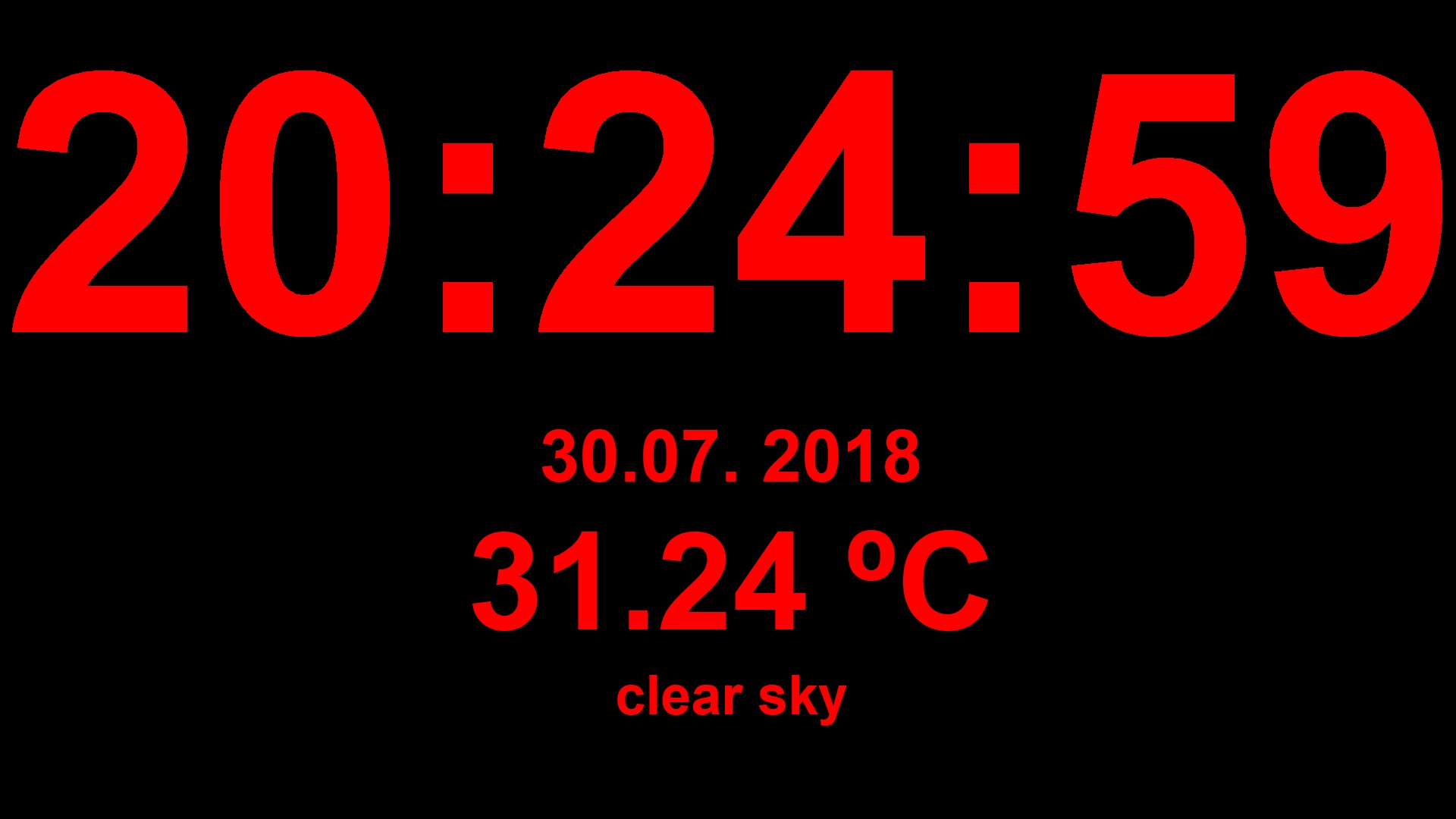
This is my first GUI app in python using tkinter. It is a fullscreen clock/weather app, which displays date and time of your system and fetches weather data of the location you input from open weather map api.
input screen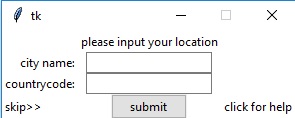
main screen
from tkinter import *
from tkinter import messagebox
import tkinter.ttk as ttk
import time
import os
import webbrowser
import pyowm
root = Tk()
root.configure(background='black')
root.resizable(False, False)
root.bind("q", quit)
location = ""
time1 = ''
obs = None
w = None
skip = False
timer = time.time()
owm = pyowm.OWM('')#your api key here
def screen_x():
    return root.winfo_screenwidth()
def screen_y():
    return root.winfo_screenheight()
def show_frame(frame):
    frame.tkraise()
def nextframe():
    root.attributes("-fullscreen", True)
    show_frame(f2)
def change_location():
    global location
    location = input_location.get() + "," + input_countrycode.get()
    file = open("location.txt", "w")
    file.write(location)
    file.close()
    updateweather()
def displayOWhelp(event):
    webbrowser.open('https://old.less-than.net/tkhelp.html')
def skippo(event):
    global location
    try:
        file = open("location.txt")
        location = file.read()
        updateweather()
    except:
        skip = True
    if location == "":
        skip = True
    nextframe()
    f2pack()
def f1button():
    try:
        change_location()
        nextframe()
        f2pack()
    except:
        messagebox.showinfo("error occured", "either you aren't connected to the internet or didnt input valid location")
def updateweather():
    global obs
    global w
    obs = owm.weather_at_place(location)
    w = obs.get_weather()
    updateweatherwidgets()
def updateweatherwidgets():
    pic = w.get_weather_icon_name()
    desc = w.get_detailed_status()
    temp = w.get_temperature(unit='celsius')

    weatherdesc.config(text = desc)
    weathertemp.config(text = str(temp["temp"]) + " oC")

f1 = Frame(root, background = "White")
f2 = Frame(root, background = "Black")
for frame in (f1, f2):
    frame.grid(row=0, column=0, sticky='nsew')
f1.grid_columnconfigure(1, minsize=40)
desc = Label(f1, text = 'please input your location', bg = "White")
desc1 = Label(f1, text = 'city name:', bg = "White")
desc2 = Label(f1, text = 'countrycode:', bg = "White")
input_location = ttk.Entry(f1)
input_countrycode = ttk.Entry(f1)
b = ttk.Button(f1, text="submit", command = f1button)
skiplabel =  Label(f1, text = 'skip>>', bg = 'White')
helplabel = Label(f1, text = 'click for help', bg = 'White')
desc.grid(row = 1, column = 2)
desc1.grid(row = 2, column = 1, sticky = "E")
desc2.grid(row = 3, column = 1, sticky = "E")
input_location.grid(row = 2, column = 2)
input_countrycode.grid(row = 3, column = 2, sticky = "")
b.grid(row = 4, column = 2)
skiplabel.grid(row = 4, column = 1, sticky = "w")
skiplabel.bind("<Button-1>", skippo)
helplabel.grid(row = 4, column = 3)
helplabel.bind("<Button-1>", displayOWhelp)
clock_lt = Label(f2, font=('arial', int(screen_y()/3), 'bold'), fg='red',bg='black')
datelabel = Label(f2, font=('arial', int(screen_y()/15), 'bold'), fg='red',bg='black')
weatherdesc = Label(f2, font=('arial', int(screen_y()/20), 'bold'), fg='red',bg='black')
weatherframe = Frame(f2, bg = "Black")
weathertemp = Label(weatherframe, font=('arial', int(screen_y()/8), 'bold'), fg='red',bg='black')
def f2pack():
    clock_lt.pack()
    datelabel.pack()
    if not skip:
        weatherframe.pack(expand = True)
        weathertemp.grid(row = 1, column = 3)
        weatherdesc.pack()
def clock():
    global timer
    global time1
    time2 = time.strftime('%H:%M:%S')
    timedate = time.strftime('%d.%m. %Y')
    if time2 != time1:
        time1 = time2
        clock_lt.config(text = time2)
        datelabel.config(text = timedate)
        while (time.time() - timer) > 30:
            timer = time.time()
            try:
                updateweather()
            except:
                pass
    clock_lt.after(20, clock)
show_frame(f1)
clock()
root.mainloop()
download script
--
BY JAREK
------------------------------------------------------------------------------------------------------------------------------------------------------------------------------------------------------------------------------------------------------------------------------------------------------------